
In this lecture, we were briefed about our project ie to create 5 posters by week 8. The first 2 posters are to be made using the basic shapes and the rest using all the tools we learn eventually.
We also learnt gestalt’s principles that are listed below-
- Similarity
- Proximity
- Continuity
- Closure
- Figure / ground
We discussed these in detail and also saw a few examples of each.
Next we were taught the pen tool which is a key tool of illustrator. To use the pen tool the stroke has to be on and fill has to be off unless you want to fill the object simultaneously. To make straight lines of 45 degree or 90 degree, hold down the shift key. To make curved lines click to start the path then click and drag on the next anchor. To make an inverted curve do the same but use ALT key as well. To delete a handle click on the previous point.
I have attached an image of some of the pen tool artwork .
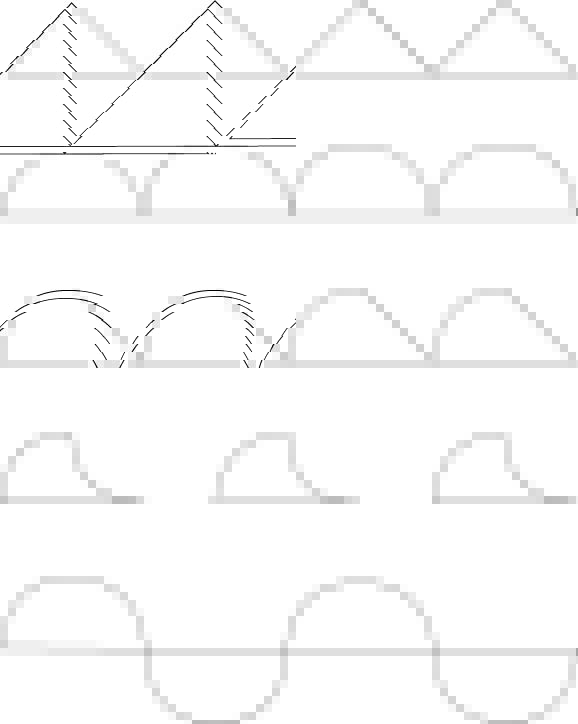
To make our work easier, we learnt how to insert grids and use scales to draw lines across the board and to make sure they are straight. To insert grids – open view and switch on guides and adjust the dimensions as you want.
We also learnt how to insert a template that can be used as a tracing reference. Here are the steps to do so –
- Open file – place – image
- Template on
- Template opacity 50%
- Lock the layer and switch on the view mode
- Use a new layer to draw on
- Lock each layer after completing the drawing
Once you finish drawing. Switch off the view mode for the template and lock and switch on the view mode for the pieces that create your final piece.
For the next class we had to create 2 posters using basic shapes.

 DISHA KALYANI